Argentum Convert icon MELLON · ARGENTUM

Images and videos,
converted on your own computer.

Argentum is MELLON's family of image and video apps. Argentum Convert changes the format of a whole folder at once and makes web-ready files much smaller. Nothing is uploaded.

Free test version · macOS 11 or later · Apple silicon & Intel · also runs in the browser

Argentum Convert
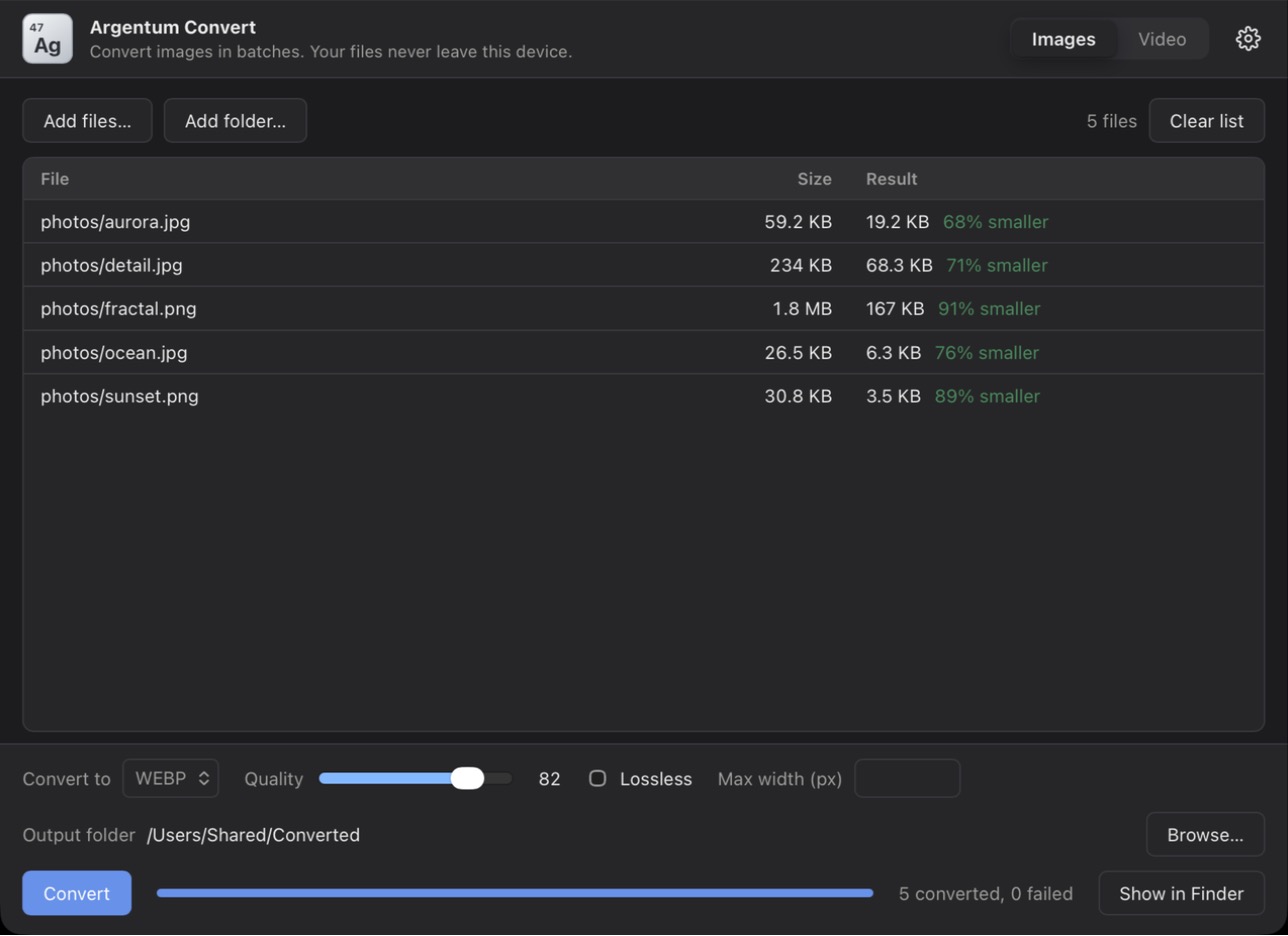
Argentum Convert after converting five images to WebP, each showing its new size and how much smaller it is

Apps

The Argentum series, one app at a time.

Argentum Convert icon

Argentum Convert

Test version coming soon

Convert images and videos in batches.

Drop in files or whole folders and turn them into JPG, PNG, WebP or AVIF, and MP4, MOV, MKV, WebM and more. Shrink product photos and clips for your website, with an interface in English, 繁體中文 and 简体中文.

macOS 11+ · Apple silicon & Intel Also in your browser Free test version

More image and video apps are on the way

Argentum will grow with tools for everyday pictures and clips. Tell us what you need.

Tell us what you need →

What Argentum Convert does

Everything you need to get images and videos ready for the web.

Whole folders at once

Add files or drop a folder. Sub-folders are searched and the folder structure is kept in the output.

Convert between formats

Images: JPG, PNG, WebP and AVIF. Videos: MP4, MOV, AVI, MKV, FLV, WMV, M4V and WebM. Pick any combination.

Control the quality

Set quality, lossless mode and a maximum width for images; quality, speed and audio for videos. Each file shows how much smaller it became.

Smaller files, same look

WebP and AVIF are usually a third smaller or more than the original JPG or PNG, which makes pages load faster.

Private by design

Your files are converted on your own computer and are never uploaded.

Works offline

The Mac app needs no account and no internet connection.

Three languages

Interface in English, 繁體中文 and 简体中文, following your system language.

A look inside

Convert a folder of product photos, and see how much smaller each one became.

Argentum Convert after converting five images to WebP, each showing its new size and how much smaller it is
Five images converted to WebP: 68% to 91% smaller.

Download

Argentum Convert is in free testing. Download it, try it on your own files, and tell us what to improve.

Argentum Convert icon

Argentum Convert

Test version coming soon

Email us to join the test list

Requirements

  • macOS 11 Big Sur or later
  • Apple silicon (M1 and later) or an Intel Mac

Installing the test version

  1. 1

    Open the downloaded .dmg and drag Argentum Convert into Applications.

  2. 2

    Control-click Argentum Convert, choose Open, then click Open again.

  3. 3

    If macOS still blocks it, go to System Settings → Privacy & Security and click Open Anyway.

Test versions are not yet notarised by Apple, which is why macOS asks you to confirm. You only need to do this once.

Questions

Are my files uploaded anywhere?

No. Argentum Convert converts files on your own computer, in the Mac app and in the browser version. It does not send your files to a server.

Is the test version free?

Yes. It is free to download and use while we test. Feedback is welcome at hello@mellongp.com.

What is different in the browser version?

It runs the same conversions inside your browser, so videos are slower and files can be up to 700 MB. WebM videos use VP8 there, while the Mac app uses the newer VP9.

Which formats can it convert?

Images: JPG, PNG, WebP and AVIF. Videos: MP4, MOV, AVI, MKV, FLV, WMV, M4V and WebM.

Is there a Windows, iPhone or Android version?

The Mac version comes first. A Windows version is planned after the first test version, and mobile versions may follow.